

#
Limit Analysis
#
Load combination
Create a load combination:
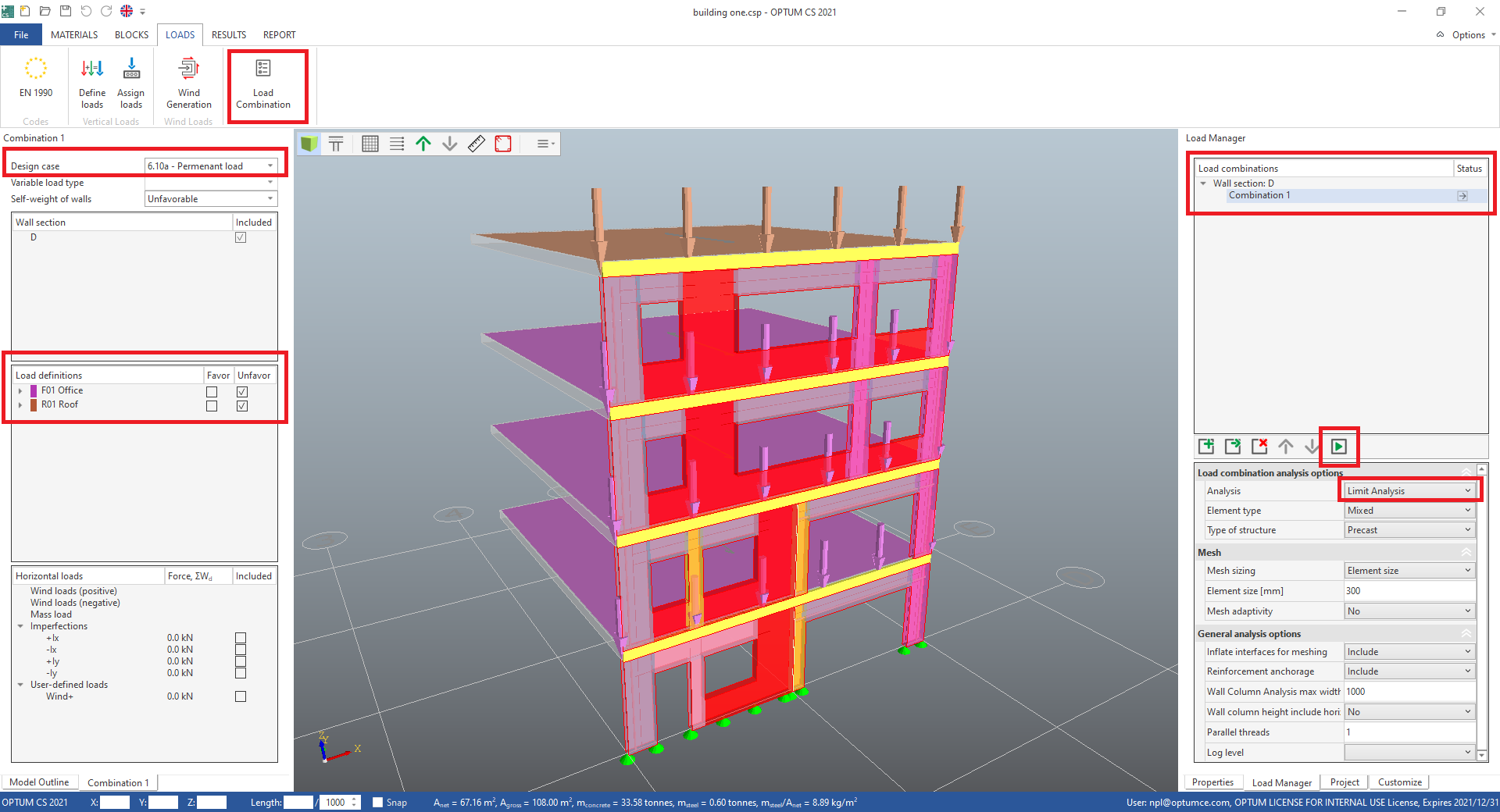
- In the LOADS tab in the ribbon choose Load combinations.
In the Load Manager on the right hand side all load combinations are listed. Wall section: D has one load combination "Combination 1".
- In Load combination analysis options in the Load Manager check that Analysis is set to Limit Analysis.
On left hand side, settings for Combination 1 are displayed.
- Check that Design case is set to 6.10a - Permanent load.
- Check that Load definition F01 Office and R01 Roof are included as unfavorable.
- Press Run analysis (F5).
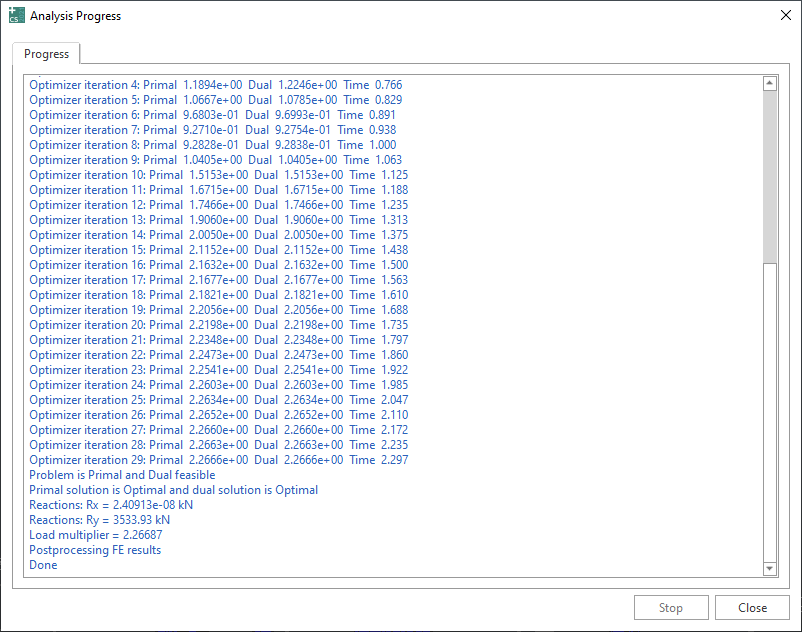
- When the analysis is done, close the Analysis Progress window. The RESULTS tab is now active.
#
Limit analysis result
In this example the calculation results in a load multiplier of 2.27. For design case 6.10a, this means that all permanent loads multiplied by a factor of 2.27 will result in structural failure. The displacement plot "Panel |U|" that is shown, illustrates the collapse mechanism for this load.
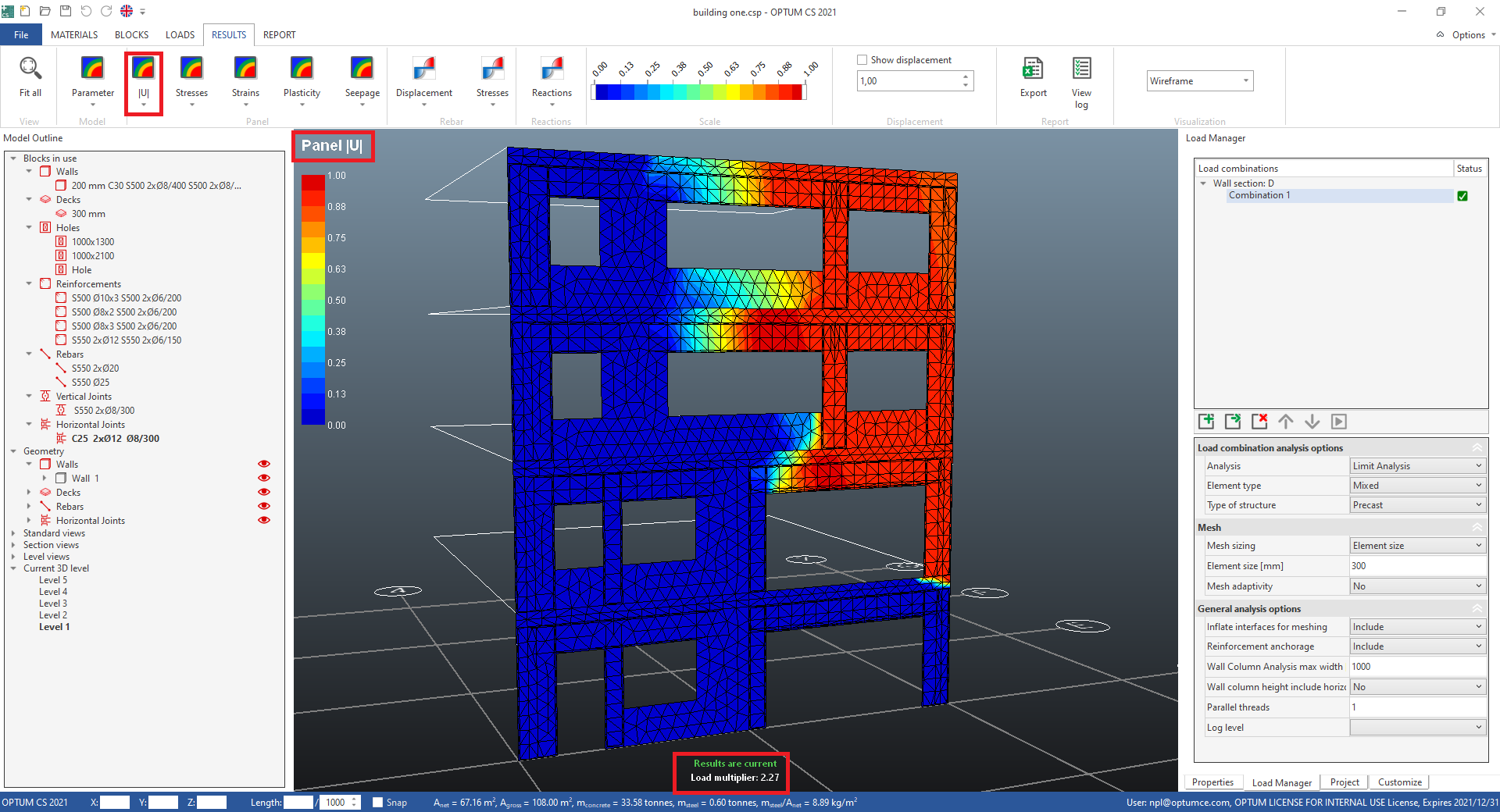
The weakest place in the structure is easily located in this way. The load multiplier illustrates sufficient bearing capacity. But the stresses are not the real stresses and a code check cannot be made. For this an elastoplastic analysis is needed.
Next step is the elastoplastic calculations.